

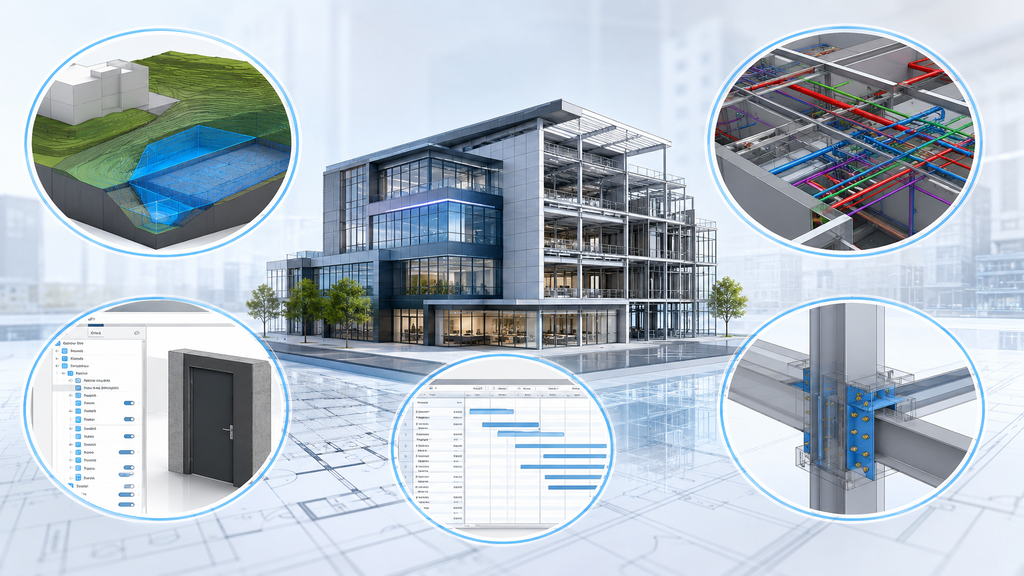
Autodesk has released Revit 2026, and the update brings more than 55 improvements built to help architects, engineers, and BIM teams work faster. The new Revit 2026 features focus on real, everyday problems. Smarter wall editing, better curtain wall tools, improved Toposolid modeling, and faster documentation all make it easier to finish projects on time. This article walks through the Revit 2026 features that matter most for daily use. Instead of listing every update, we highlight the five areas where you will notice the biggest difference in speed, accuracy, and coordination. If you are deciding whether to upgrade, this guide should make the decision easier.
1. Architectural Design Enhancements
Revit 2026 introduces several upgrades that make wall creation and curtain wall design faster and more precise.
Toggle Layer Wrapping at Wall Ends
You can now turn layer wrapping on or off for selected walls directly from the floor plan view. A simple toggle button replaces the old process of jumping between menus. As a result, you stay inside your main workspace while detailing exterior or interior walls. This small change adds up to real time savings across a full project, and it gives you more flexibility to fine-tune wall configurations exactly the way each design needs.
Auto-Join and Lock for Wall Creation
Auto-Join and Lock stands out as one of the most practical Revit 2026 features for anyone who edits walls often. Auto-Join automatically connects new walls to existing ones. Auto-Join and Lock goes further by locking adjacent walls so they move together. Keep in mind that both tools work only with the architectural wall tool, not with structural walls or face walls. This feature proves especially useful when layering materials like tile or insulation onto existing walls, since it removes the repetitive fixes that used to eat up time.
Enhanced Curtain Wall Mullion Design
Curtain wall mullions are the vertical elements that divide sections of a curtain wall, usually between panes of glass, and they support both the stability and the look of the system. Previously, Revit limited mullions to a single closed-loop design. Revit 2026 removes that restriction, letting you configure multiple closed-loop mullions for more intricate designs. This upgrade expands what’s possible for avant-garde curtain walls, where the mullions serve as both structural elements and design statements.

2. Documentation Improvements
Faster documentation is one of the more welcome Revit 2026 features for teams working under tight deadlines. Background PDF export lets you continue modeling while a PDF exports behind the scenes, so downtime nearly disappears. Batch material editing works alongside this, letting you update materials across multiple elements in one action instead of one at a time.
Sheet management also gets better. New sheet collections help large projects stay organized by grouping sheets into structured, searchable sets. These collections even show up as parameters in sheet schedules, which makes tracking simpler. On top of that, Revit 2026 now flags duplicate sheet numbers across different collections, so mistakes get caught early instead of during final review.
Annotation alignment rounds out this group of updates. The new tool automatically aligns and evenly distributes tags and text, which helps enormously on large, annotation-heavy projects. It handles standard layouts well, though complex or irregular layouts may still need a manual pass. Together, these Revit 2026 features free up time for the design work that actually needs human attention.
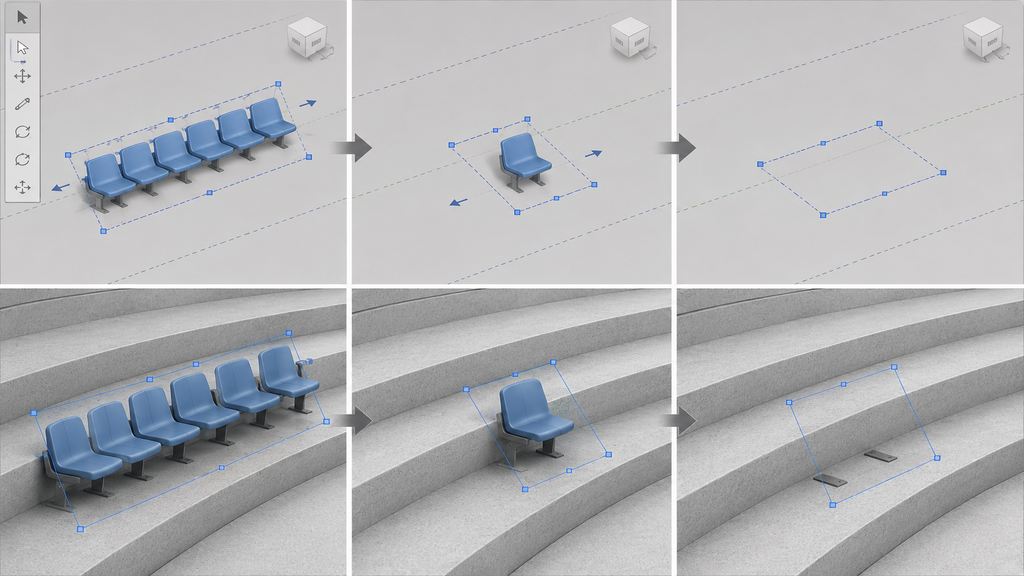
3. Array Tool Improvements
The Array tool has always made it easy to create and adjust multiple instances of an element at once. Revit 2026 refines it further by allowing small linear arrays to contain one or zero elements. This flexibility matters for scenarios like stadium seating, where a single seat placement is sometimes all you need. The improvement works seamlessly in both the Family Editor and the project environment, so you don’t lose functionality no matter where you’re working.
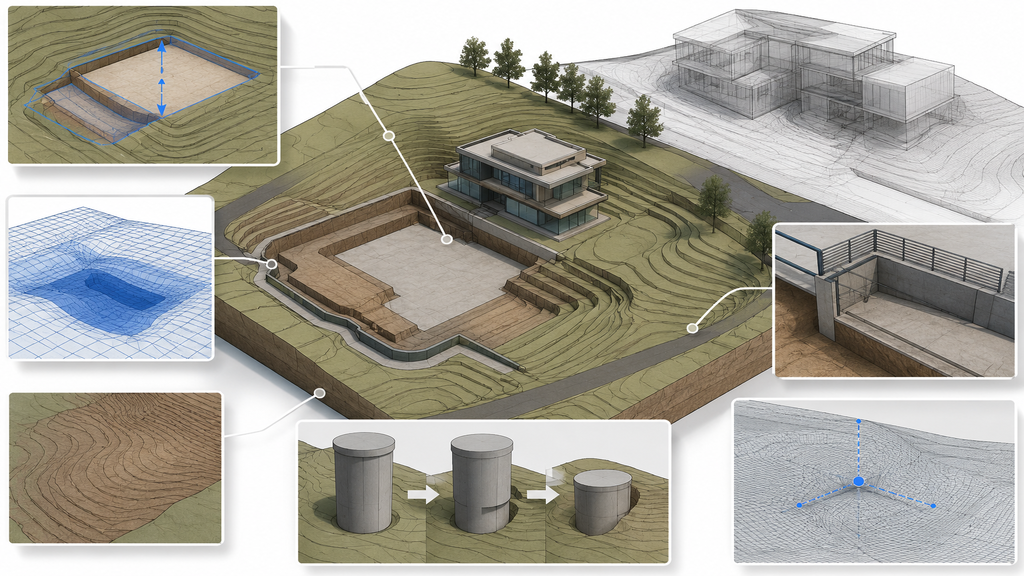
4. Toposolid Enhancements
Toposolid, introduced as a system family in Revit 2024, gains several new tools in Revit 2026, including an improved Excavate tool. Revit can now calculate excavation volume by element, which is essential for accurate site modeling.
The new Excavate tool mimics the behavior of traditional building pads, and it works above floors and on angled surfaces, giving you far more versatility on complex sites. Volume calculations now cover floors, walls, and building pads, so estimating earthwork becomes more reliable. Toposolids also integrate better with massing, since you can now create them directly from mass faces, and railings can be hosted on void-cut surfaces for more complex architectural details.
A few smaller refinements round out the update. Shafts now cut through Toposolids gradually instead of all at once, giving you more control during editing. Visible contour lines in modify mode make adjustments easier to see, and a new XYZ snapping option improves point placement accuracy. A cosmetic smoothing option also improves the visual appearance of Toposolid surfaces without affecting their functionality.
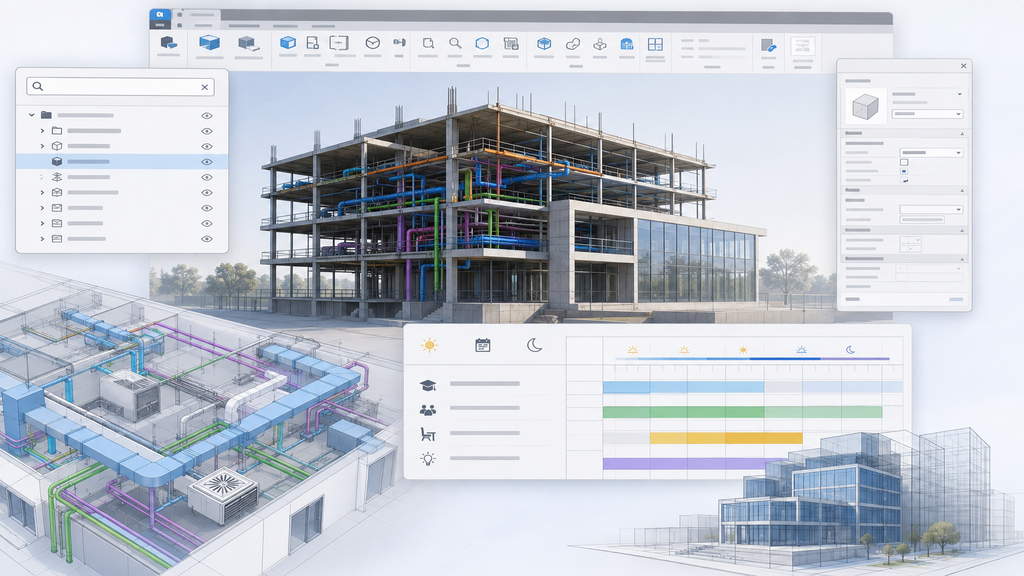
5. User Interface and Modeling Upgrades
The final group of Revit 2026 features cleans up the interface and strengthens tools for structural teams. A new search feature in the Project Browser makes navigating large, complex models far quicker, since you no longer need to scroll through long lists to find an element.
On the MEP side, improved building operating schedules give better control over occupancy scheduling. This proves especially useful for buildings such as schools, where usage patterns shift throughout the day. Meanwhile, the traditional Option Bar is being phased out in favor of a cleaner layout, with options now built into the ribbon or the properties palette for a more organized workspace.
Rebar modeling also sees meaningful upgrades. Parametric splicing lets you define splice locations and lengths to match specific project requirements, with new options for lap splice, staggered splice, and end-to-end splice. Enhanced visibility controls and maximum bar length filtering make rebar easier to manage across a project, while improved bending details and better handling during model reshaping round out the update. Structural teams should notice a smoother, more predictable workflow right away.
Other Notable Updates
Beyond the headline features, Revit 2026 ships with a long list of smaller improvements worth knowing about:
- Installation is about 20% faster, and Dynamo now includes new Toposolid nodes alongside dark theme improvements.
- Room perimeter calculations now include interior walls, giving more accurate room parameters overall.
- File compatibility improves too, with STEP file support, better IFC export category mapping, and support for the latest gbXML version (v7.03).
Together, these changes make day-to-day file handling and coordination noticeably smoother, even outside the five major feature areas.
Conclusion
What stands out most about Revit 2026 is Autodesk’s continued push to stay ahead in digital design technology. With more than 50 new features and enhancements, this release strengthens system stability, rendering, and analytical capabilities across the board. We haven’t covered every change here, since a single article can’t do justice to the full scope of the update. But this overview gives the AEC community a solid starting point for exploring what Revit 2026 has to offer. For professionals looking to sharpen their workflow and improve project outcomes, this release is well worth the upgrade.

Loading...