

Menu
Mechanical Drawings
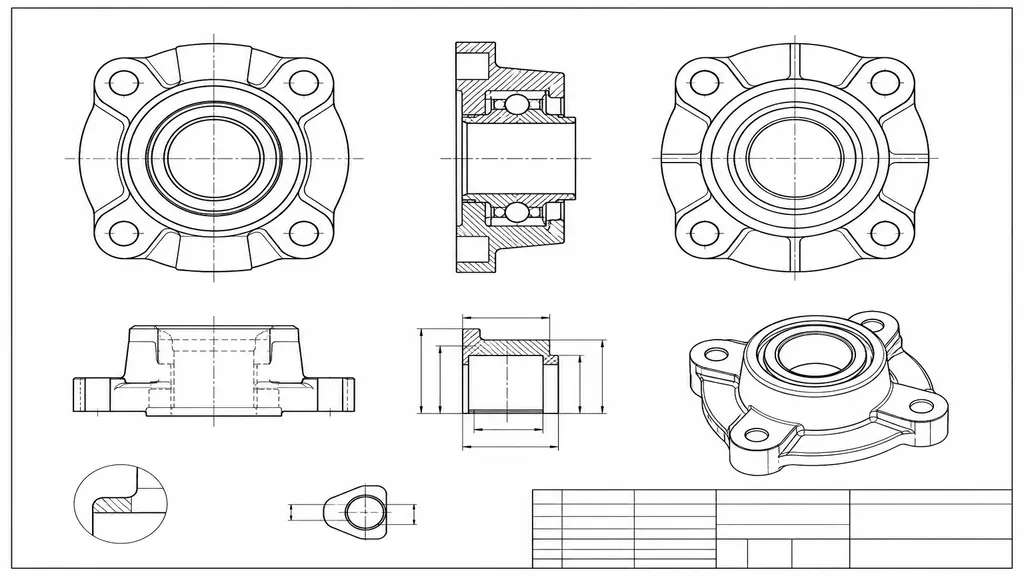
Mechanical drawings require precision, clarity, and a professional presentation that raw CAD output alone cannot provide. Using Photoshop for mechanical drawings enhances technical drafts with refined shading, clean linework, annotations, and visual emphasis, making complex engineering details easier to read and present. Whether you are creating manufacturing documentation, assembly diagrams, or client-facing technical sheets, this service guarantees that your mechanical drawings convey information clearly while maintaining a polished and professional appearance.
What Is Mechanical Drafting with Photoshop?
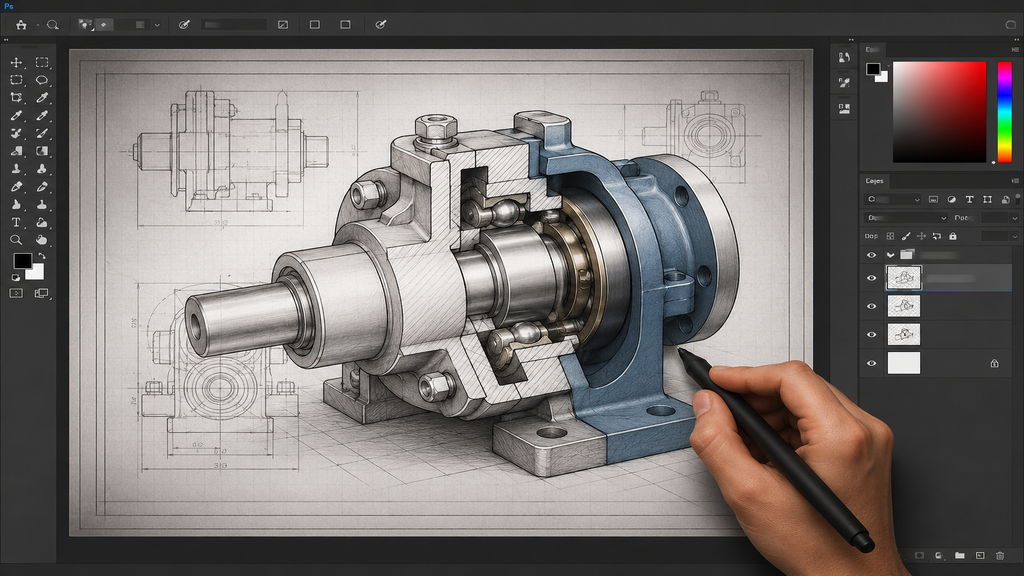
Mechanical drafting in Photoshop entails using its editing tools to refine and visually enhance CAD-generated technical drawings by adding depth, contrast, color coding, and clarity. While tools like AutoCAD and SolidWorks manage precise geometry and dimensions, Photoshop is employed to refine scanned or exported drawings, emphasize key components, optimize line weights for clarity, and prepare files for printing or digital display. This combination maintains the drawing’s technical accuracy while enhancing its clarity for engineers, clients, and manufacturers.
Our Mechanical Drawing Services
We cater to diverse mechanical drafting requirements, enhancing drawings to ensure peak clarity and presentation quality. Our services encompass:
Cleaning and enhancing scanned mechanical sketches
Shading and highlighting for parts, assemblies, and components
- Color coding for different materials or system layers
- Annotation and labeling improvements for technical clarity
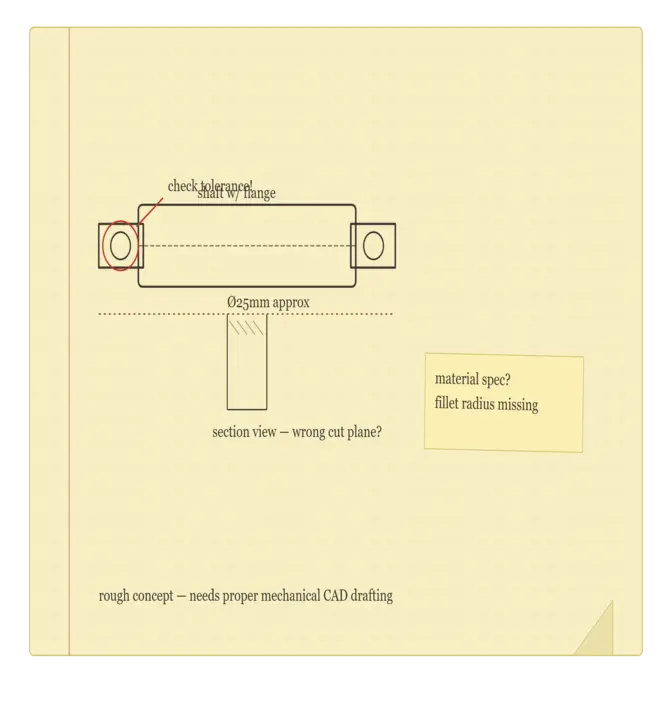
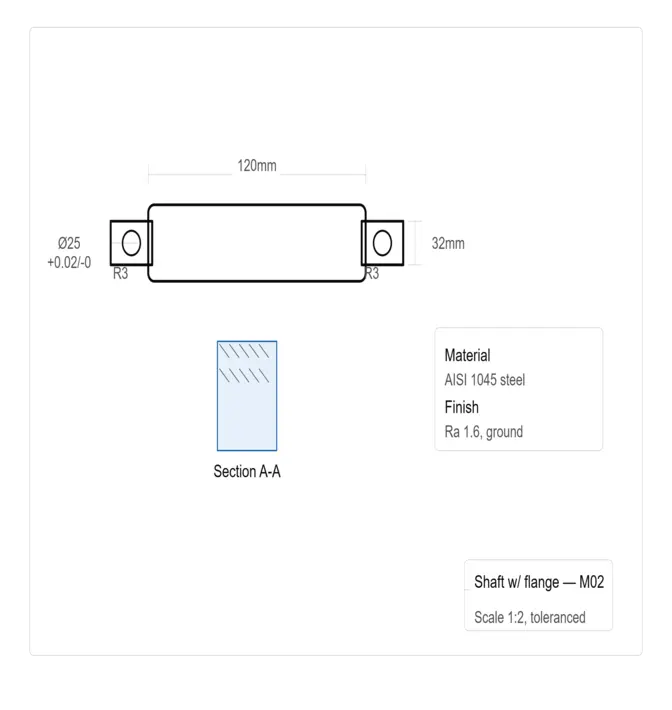
- Converting rough drafts into print-ready or presentation-ready formats
Each drawing is meticulously crafted with rigorous technical precision, guaranteeing that no detail or dimension is lost during the enhancement process.
Why Photoshop Enhances Mechanical Documentation
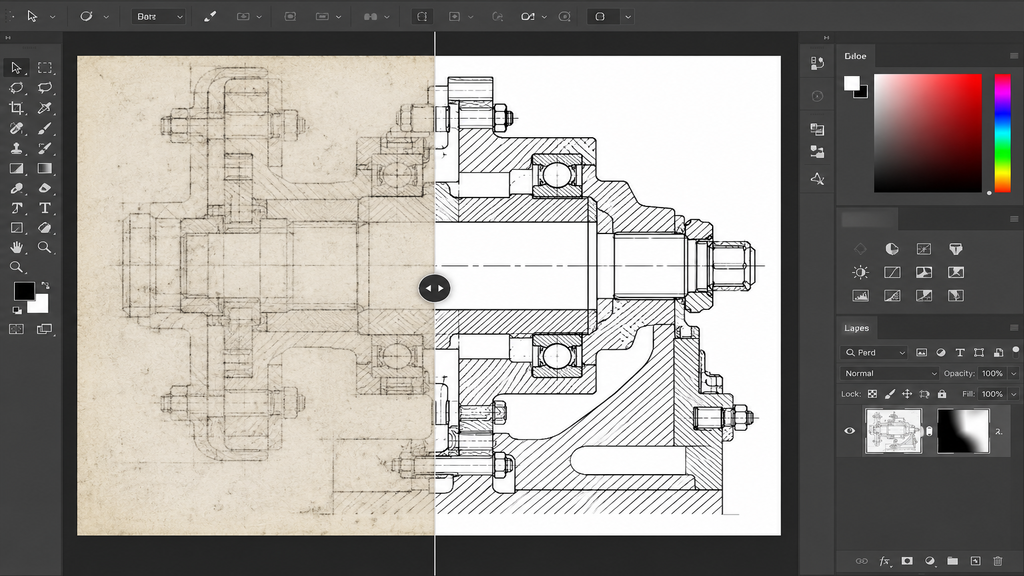
Raw mechanical drawings, particularly those scanned or exported, often exhibit poor contrast, faint lines, or cluttered annotations, making them difficult to interpret. Photoshop enables precise manipulation of visual elements, including edge sharpening, brightness and contrast adjustments, and the isolation of specific components for emphasis. This is particularly valuable when drawings must be shared with non-technical stakeholders, incorporated into manuals, or printed at various scales, as clarity can be the deciding factor between a drawing that is immediately understood and one that leads to confusion or costly errors.
Who Can Benefit from this Service
This service is ideal for mechanical engineers drafting manufacturing documentation, fabrication shops requiring clear assembly guides, product designers preparing client presentations, and technical writers assembling user manuals. It is also beneficial for businesses that need to transform outdated, hand-drawn mechanical sketches into clean digital formats suitable for modern documentation and archiving.
Conclusion
By merging precise mechanical drafting with Photoshop’s visual enhancements, we produce technical drawings that are not only accurate but also genuinely clear and professional. If your mechanical drawings require enhanced clarity, professional refinement, or print-ready quality, our Photoshop-based service delivers precisely that. Reach out to us today to have your technical drawings polished to a professional standard.
Recent Posts

Recent Service
- Loading...
Recent Comments
Categories
- Loading...
Professional Mechanical Drawing Service
Professional mechanical drawing services provide accurate, detailed, and industry-standard CAD drawings for manufacturing, fabrication, assembly, and engineering applications, ensuring precision and reliability in every project.
Mechanical Drawings
- Create precise 2D mechanical drawings, fabrication drawings, assembly drawings, and part detail drawings in AutoCAD.
- Accurate dimensioning, tolerances, annotations, and standard mechanical symbols following industry practices.
- Clean, editable AutoCAD (DWG/DXF) files with quality-checked, manufacturing-ready documentation.
Customer strategy
A brand & Mechanical Drawings agency
for ambitious modern businesses
We deliver expert mechanical drawing services tailored for architects, engineers, and manufacturing professionals. From detailed part drawings and assembly layouts to shop drawings and technical schematics, we ensure precision, clarity, and fast turnaround for every project.
Our service focuses on delivering clean, well-structured, and industry-standard mechanical drawings that enhance project efficiency and reduce errors. We specialize in dimensioning, tolerancing, assembly documentation, and preparing files that meet professional and client requirements. With attention to detail and reliability, we help bring your concepts into accurate technical reality.
GET STARTED NOW !Frequently Asked Questions
We can create detailed mechanical illustrations such as part diagrams, exploded views, assembly layouts, technical schematics, and simplified engineering visuals using layered Photoshop techniques.
Photoshop is best for visual presentation, conceptual drawings, and illustrative technical artwork. While it can be highly detailed, it is not a replacement for CAD software when strict engineering measurements and tolerances are required.
Yes. We can take hand-drawn sketches, scanned drafts, or exported CAD images and enhance them in Photoshop by refining lines, adding shading, labeling, and improving visual clarity.
Final outputs are usually delivered in common formats like PSD (editable source file), PNG, and PDF, depending on your needs. High-resolution files suitable for printing or presentations can also be provided.
FAQ's
Frequently Asked Questions

What types of mechanical drawings can be created using Photoshop?
We can create detailed mechanical illustrations such as part diagrams, exploded views, assembly layouts, technical schematics, and simplified engineering visuals using layered Photoshop techniques.
Is Photoshop suitable for precise engineering drawings?
Photoshop is best for visual presentation, conceptual drawings, and illustrative technical artwork. While it can be highly detailed, it is not a replacement for CAD software when strict engineering measurements and tolerances are required.
Can existing sketches or CAD files be converted into Photoshop drawings?
Yes. We can take hand-drawn sketches, scanned drafts, or exported CAD images and enhance them in Photoshop by refining lines, adding shading, labeling, and improving visual clarity.
What file formats will I receive after the work is completed?
Final outputs are usually delivered in common formats like PSD (editable source file), PNG, and PDF, depending on your needs. High-resolution files suitable for printing or presentations can also be provided.
Got Questions?
Frequently Asked Questions
Do I have enough space for a lorem ipsum dolor sit amet?
Sed ut perspiciatis unde omnis iste natus error sit voluptatem accusantium doloremque laudantium, totam rem aperiam, eaque ipsa quae ab illo inventore veritatis et quasi architecto beatae vitae dicta sunt explicabo. Nemo enim ipsam voluptatem quia voluptas sit aspernatur aut odit aut fugit, sed quia consequuntur magni dolores eos qui ratione voluptatem sequi nesciunt.
Neque porro quisquam est, qui dolorem ipsum quia dolor sit amet, consectetur, adipisci velit, sed quia non numquam eius modi tempora incidunt ut labore et dolore magnam aliquam.
Click edit button to change this text. Lorem ipsum dolor sit amet, consectetur adipiscing elit. Ut elit tellus, luctus nec ullamcorper mattis, pulvinar dapibus leo. Lorem ipsum dolor sit amet, consectetur adipisicing elit, sed do eiusmod tempor incididunt.
How to design and maintain totam rem aperiam, eaque ipsa quae ab illo inventore?
Sed ut perspiciatis unde omnis iste natus error sit voluptatem accusantium doloremque laudantium, totam rem aperiam, eaque ipsa quae ab illo inventore veritatis et quasi architecto beatae vitae dicta sunt explicabo. Nemo enim ipsam voluptatem quia voluptas sit aspernatur aut odit aut fugit, sed quia consequuntur magni dolores eos qui ratione voluptatem sequi nesciunt.
Neque porro quisquam est, qui dolorem ipsum quia dolor sit amet, consectetur, adipisci velit, sed quia non numquam eius modi tempora incidunt ut labore et dolore magnam aliquam.
How much watering is needed for my plants when quisquam est, qui dolorem ipsum quia?
Sed ut perspiciatis unde omnis iste natus error sit voluptatem accusantium doloremque laudantium, totam rem aperiam, eaque ipsa quae ab illo inventore veritatis et quasi architecto beatae vitae dicta sunt explicabo. Nemo enim ipsam voluptatem quia voluptas sit aspernatur aut odit aut fugit, sed quia consequuntur magni dolores eos qui ratione voluptatem sequi nesciunt.
Neque porro quisquam est, qui dolorem ipsum quia dolor sit amet, consectetur, adipisci velit, sed quia non numquam eius modi tempora incidunt ut labore et dolore magnam aliquam.
Does gardening deserunt mollit anim id est laborum?
Sed ut perspiciatis unde omnis iste natus error sit voluptatem accusantium doloremque laudantium, totam rem aperiam, eaque ipsa quae ab illo inventore veritatis et quasi architecto beatae vitae dicta sunt explicabo. Nemo enim ipsam voluptatem quia voluptas sit aspernatur aut odit aut fugit, sed quia consequuntur magni dolores eos qui ratione voluptatem sequi nesciunt.
Neque porro quisquam est, qui dolorem ipsum quia dolor sit amet, consectetur, adipisci velit, sed quia non numquam eius modi tempora incidunt ut labore et dolore magnam aliquam.
How do I know if totam rem aperiam, eaque ipsa quae ab illo inventore veritatis?
Sed ut perspiciatis unde omnis iste natus error sit voluptatem accusantium doloremque laudantium, totam rem aperiam, eaque ipsa quae ab illo inventore veritatis et quasi architecto beatae vitae dicta sunt explicabo. Nemo enim ipsam voluptatem quia voluptas sit aspernatur aut odit aut fugit, sed quia consequuntur magni dolores eos qui ratione voluptatem sequi nesciunt.
Neque porro quisquam est, qui dolorem ipsum quia dolor sit amet, consectetur, adipisci velit, sed quia non numquam eius modi tempora incidunt ut labore et dolore magnam aliquam.
Loading...